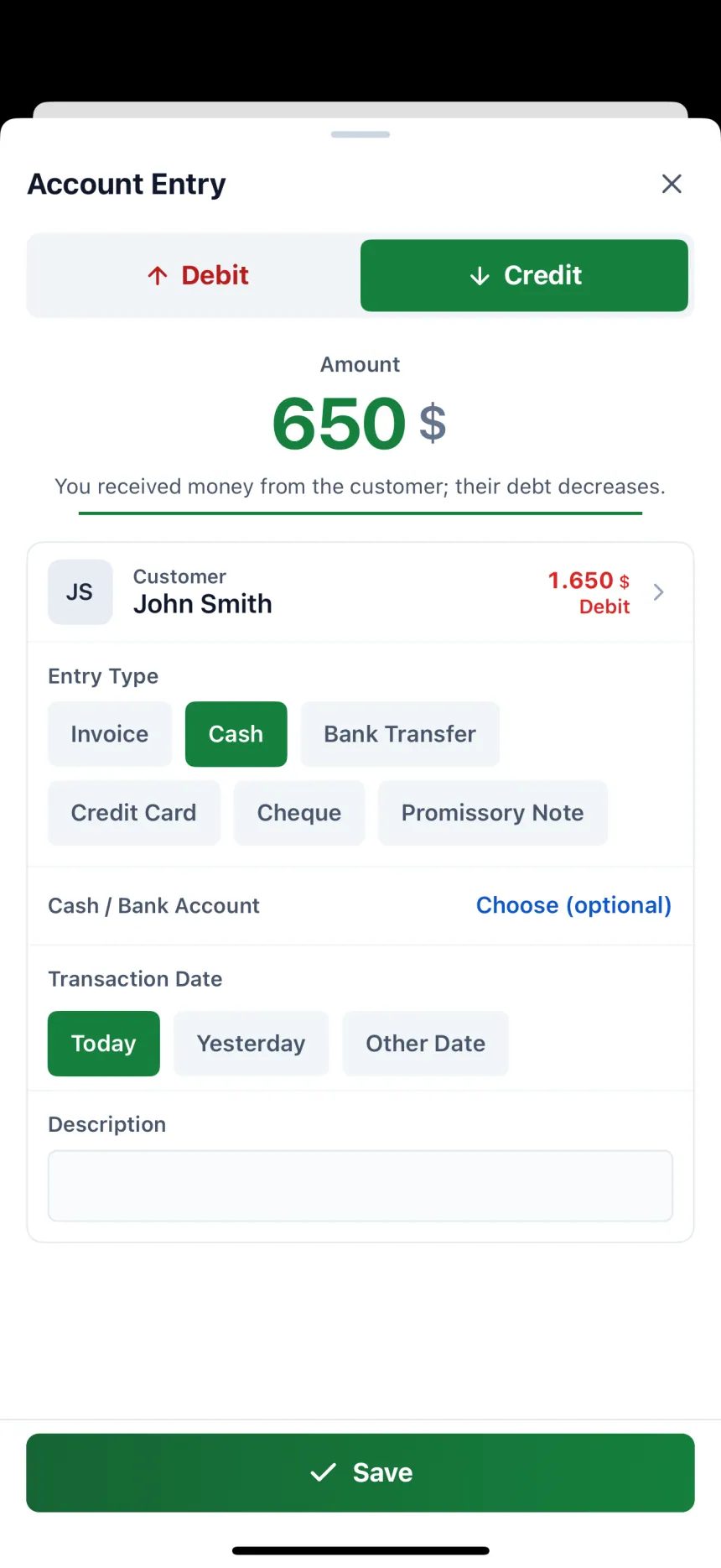
One “Account Entry” form
Choose Debit or Credit and type the amount. Pick the type: Invoice, Cash, Bank Transfer, Credit Card, Cheque or Promissory Note; give a credit sale (invoice) a due date of 7, 15 or 30 days.

The app Credit Book Tracking recommends is Account Ledger: Debt & Credit. You record a credit sale and a payment collected in the same form; customer and supplier balances, account statements, upcoming collections and payments, the cash book and reports all come together in one place. It works on Android, iPhone and the web panel with the same account.
Choose Debit or Credit and type the amount. Pick the type: Invoice, Cash, Bank Transfer, Credit Card, Cheque or Promissory Note; give a credit sale (invoice) a due date of 7, 15 or 30 days.
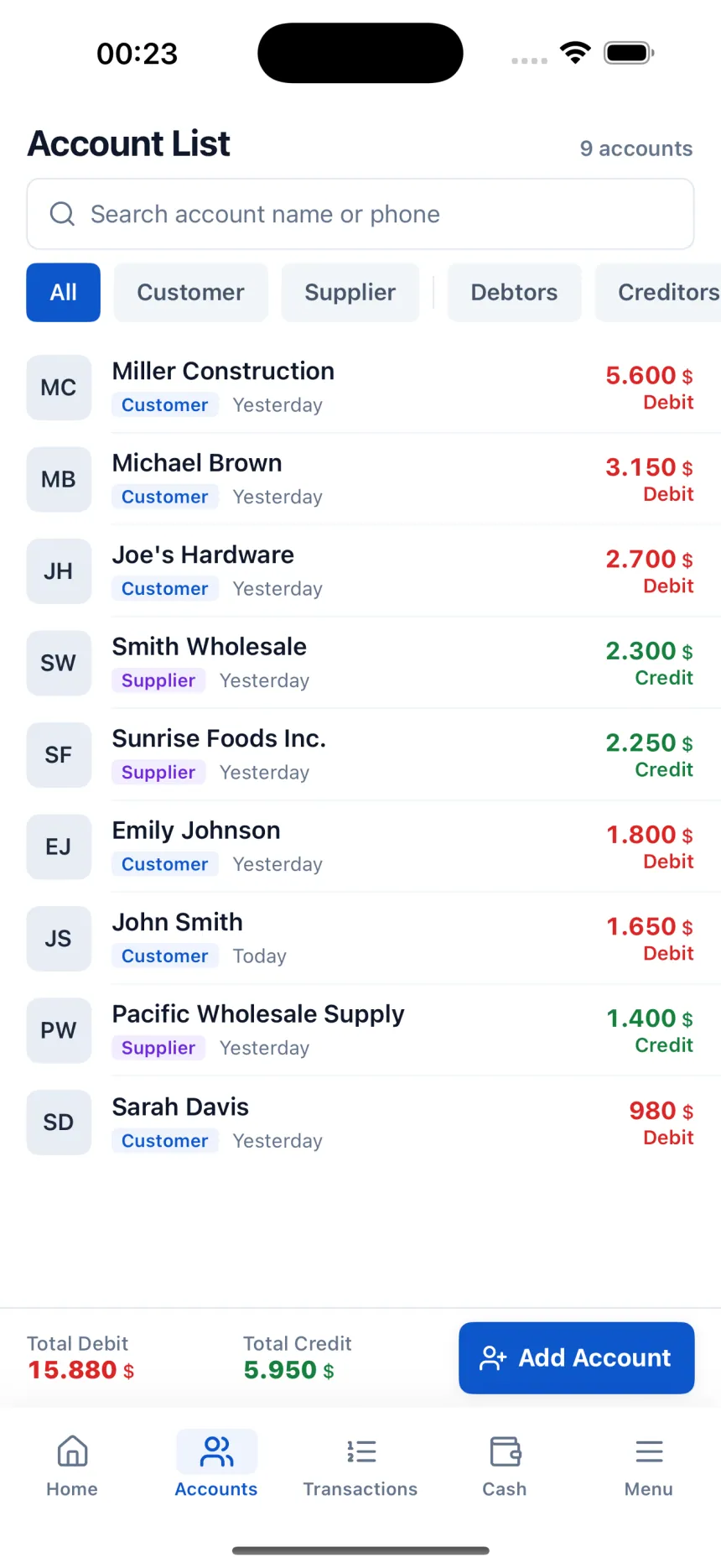
Everyone is in a single Account List. Use the Debtors and Creditors filters to separate who owes you from whom you owe.
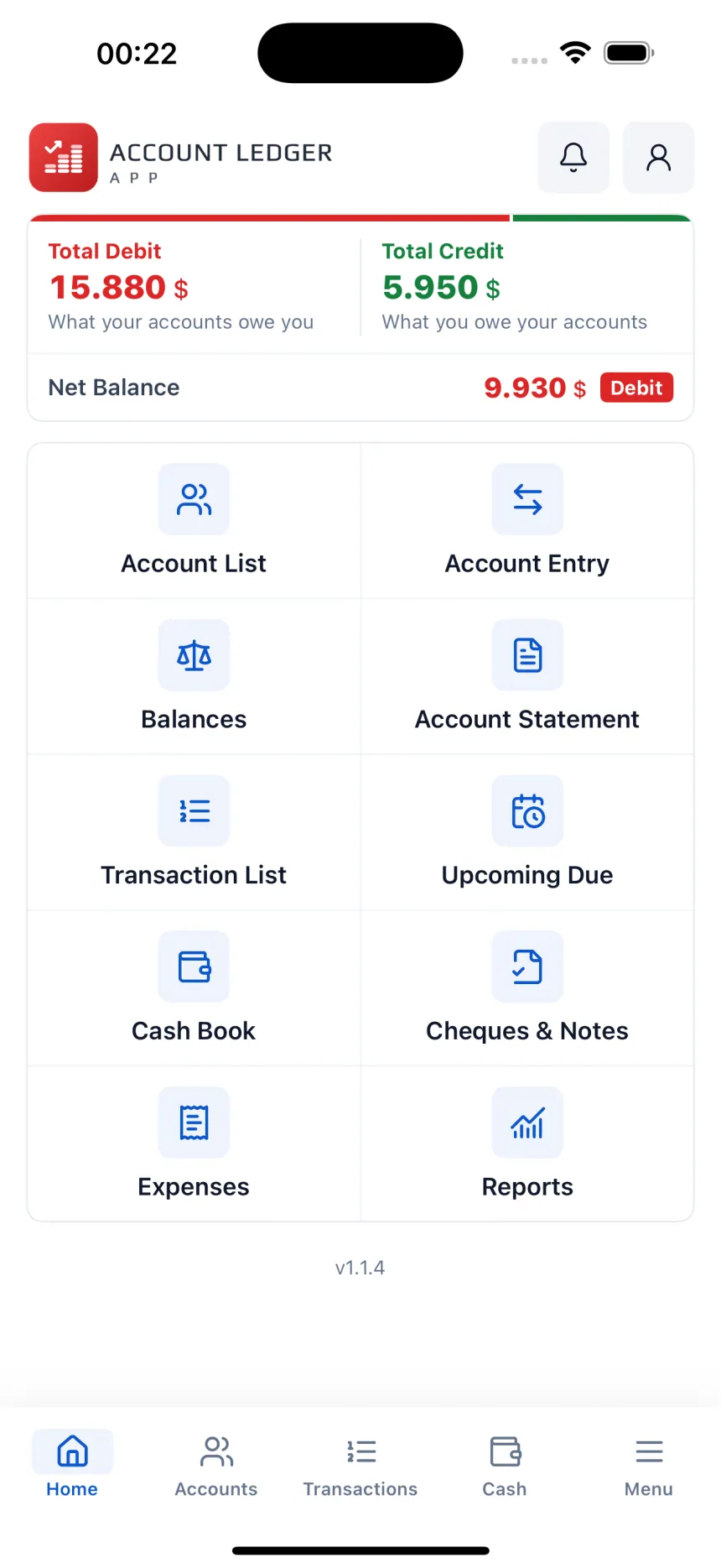
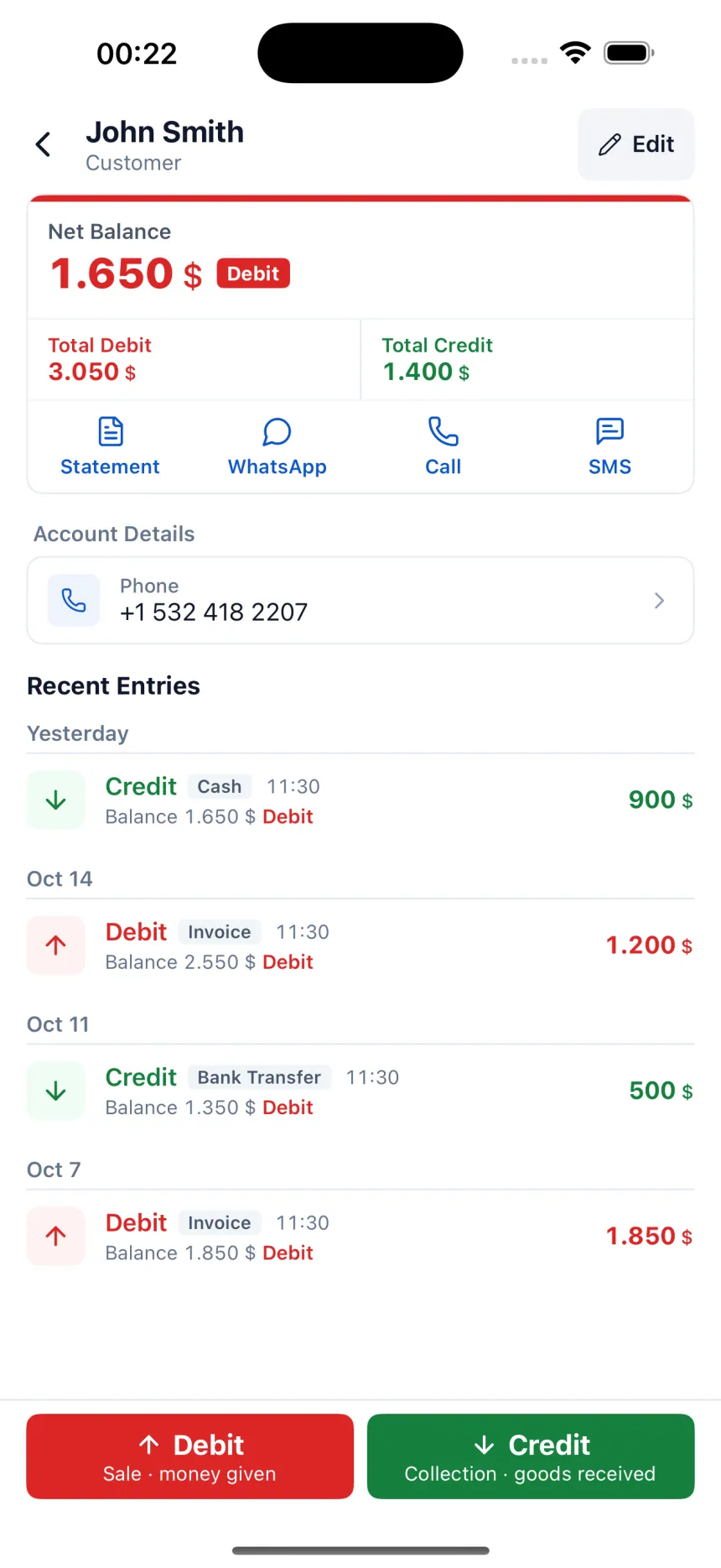
Each account's net balance and latest entries on a single card. Search, WhatsApp or SMS in one tap; a reminder message comes ready for a customer who owes you.
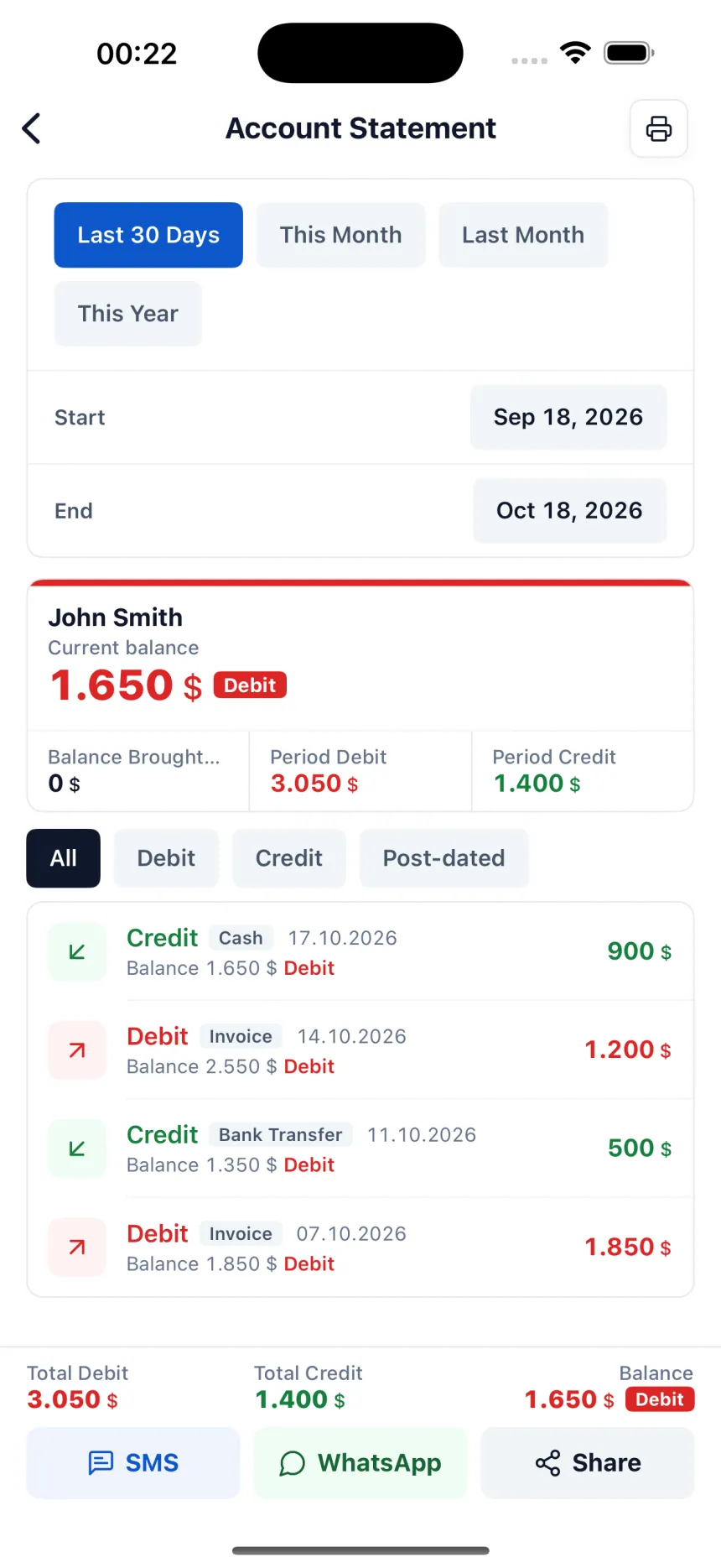
Every entry for the period you choose, line by line, with the balance at that moment on each line. Get a PDF or send it by WhatsApp or SMS.
The amounts you will collect and the amounts you will pay sit in separate tabs, with the days remaining. The answer to “who do I call today?”.
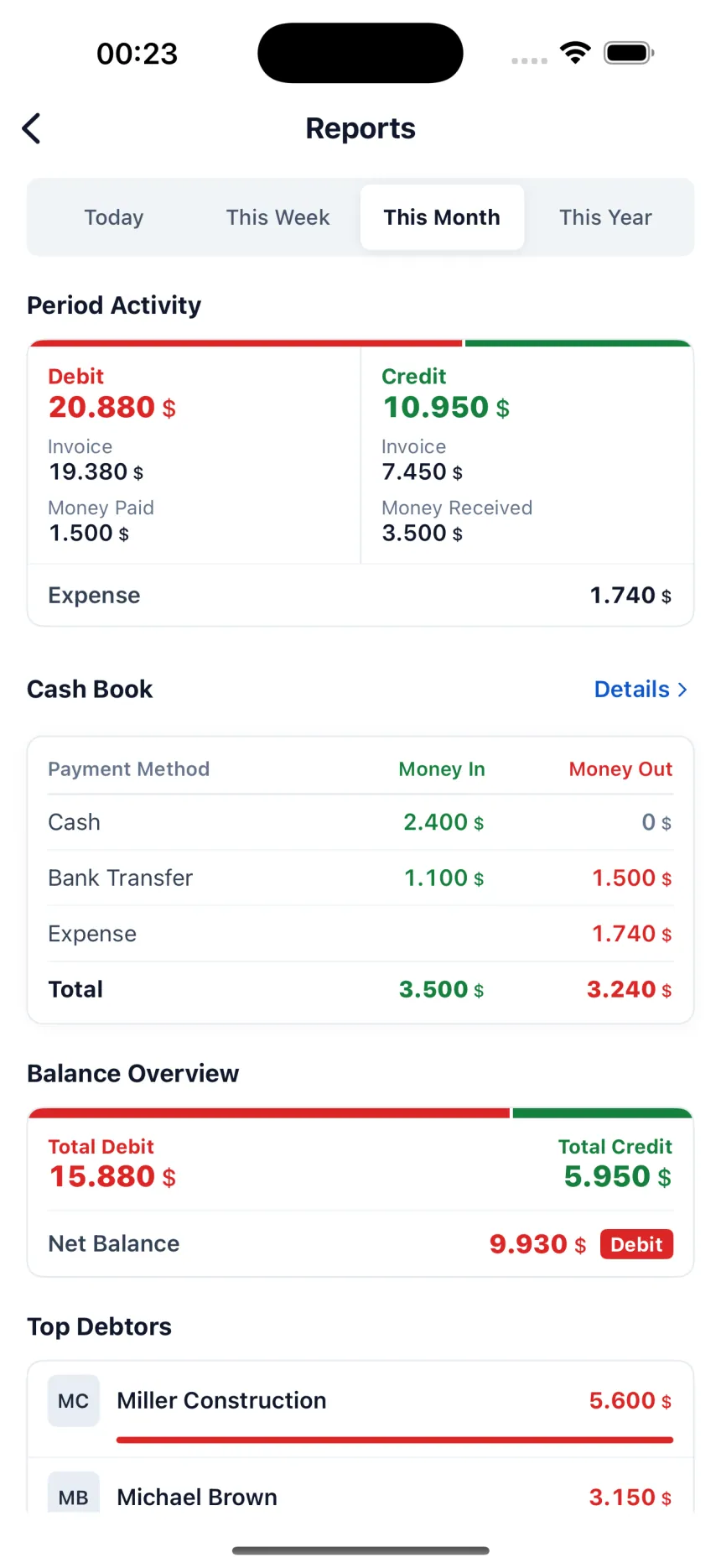
Money in and money out by payment type: cash, bank transfer and card are shown separately. Credit sales never enter the cash book; only money that actually came in.
The cheques and promissory notes you receive and issue, with their due dates, in one place.
Record expenses under your own categories. Reports show the period's debit and credit, the cash book and your top debtor accounts.
Log in with the same account from your phone or computer and back up your records. With Pro, your employee enters records under their own user.
In the app, every entry is written from the account's point of view.
Record Debit when you sell on credit, issue an invoice or lend someone money. Total Debit on the home screen is the total the accounts owe you — in other words, your money out on the street.
Record Credit when you receive a payment from a customer; their debt drops by that amount. Credit is also recorded when you buy goods from a supplier: Total Credit is what the accounts are owed by you.
The difference between Total Debit and Total Credit. Each account's card shows its own net balance on the same logic; you never add anything up by hand.
You can try it free for 3 days. After the trial, a Pro subscription is required to add new entries; entries you made up to that day stay visible.
Yes. There is an Android and iPhone app; on your computer, you log in to the caritakipprogrami.com web panel with the same account.
When adding a customer, tap “Show More” and enter their current debt once as the Opening Balance; you don't need to enter every past entry one by one.
A Pro subscription includes multiple users: your employee adds entries to the same account under their own user.
No. Account Ledger is for debit and credit, collections, cash, and cheques and notes; there are no products, stock or barcodes. For stock, Ofisx's inventory management app is the right fit.