
Debt tracking app: how do you keep track of customer debt?
A debt tracking app is software that records the credit you give to customers, the payments you receive and the remaining balance customer by customer, shows overdue debts in a separate list and calculates your total receivables instantly. It differs from a paper ledger because it works out the total and the lateness itself, and from Excel because you can open it from your phone at any moment and it brings overdue accounts to the front without you having to look for them.
Last updated: September 28, 2026
What is the real question in debt tracking?
A shopkeeper wants four answers from debt tracking: who owes how much, whose payment is overdue, how much money do I have out on the street in total and how much do I owe my suppliers. Whichever tool you choose, look at how many seconds it takes to answer these four questions. A paper ledger answers the first by flipping pages and the other three only by adding up by hand.
Ledger, Excel or app?
All three do the same job; the difference shows up as the number of customers grows and at month-end.
| Topic | Paper ledger | Excel | Debt tracking app |
|---|---|---|---|
| Getting started | Immediately | You need to prepare a template | Open an account and add customers |
| Customer balance | Calculated by hand | With a formula | Automatically with every record |
| Total receivable | Added up by hand | With a formula | Visible instantly |
| Overdue accounts | Kept in your head | You scan and filter | In a separate list, at the top |
| Checking from your phone | You carry the ledger around | Cumbersome | Same account from any device |
| Risk of loss | Goes with the ledger | Gone if the file is on one device | Records in the cloud |
| Reminding the customer | You open the phone separately | You copy the number | WhatsApp from the customer card |
If you work with few customers and sit at a computer, Excel does the job; you can use the free credit ledger Excel template with ready-made columns and formulas. If you work behind the counter, on your phone, with a few entries every day, an app saves you time.
6 features to look for in a debt tracking app
Whichever program you choose, check these six points before you start trying it. If one is missing, you'll go back to the ledger in a few weeks.
- Running balance per customer
Every time a credit sale or a payment is entered, the customer's remaining debt should update automatically. A tool where you calculate the balance yourself is no different from a ledger.
- Partial payment records
When a customer brings part of the debt, the payment should be entered as a separate line; cash, bank transfer and card should appear separately so that the till and the bank match at month-end.
- Due date and overdue list
You should be able to enter the promised payment date, and overdue accounts should be gathered in a separate list. The answer to “who do I call today?” should be ready every morning.
- Separating debts and receivables
What customers owe you and what you owe suppliers should not get mixed up; you should see your net position in a single report.
- Customer statement
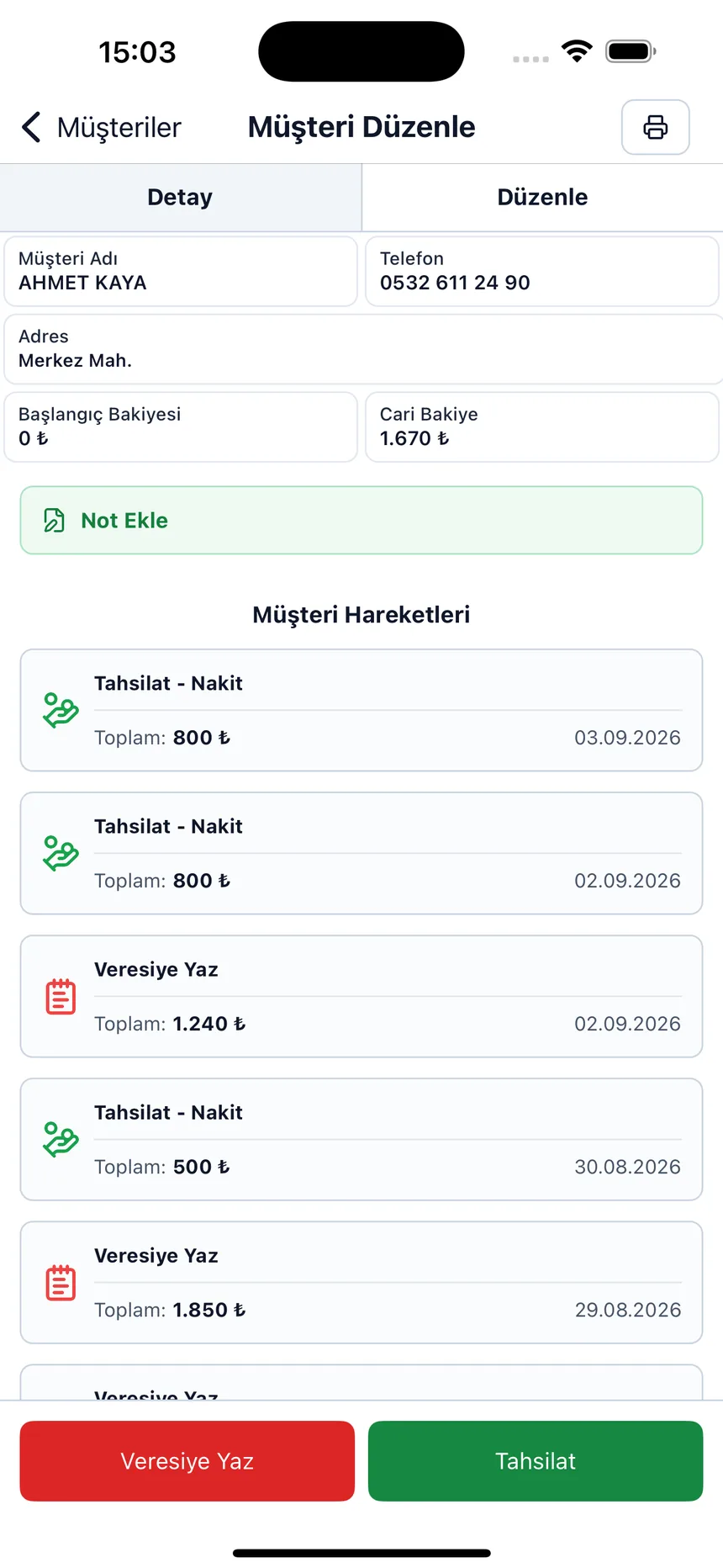
You should be able to open all of a customer's transactions in date order on a single screen. The “I didn't buy that much” conversation gets short with this statement.
- Records independent of the device
When your phone is lost or replaced, your receivables should not disappear. Choose a tool that keeps records in the cloud and lets you log in to the same account from any device.
Debt tracking step by step with Credit Tracker
Credit Tracker covers the six points above in a shopkeeper's everyday language: the screens say “record credit,” “collect payment,” “add debt,” and you don't need to know any accounting terms.
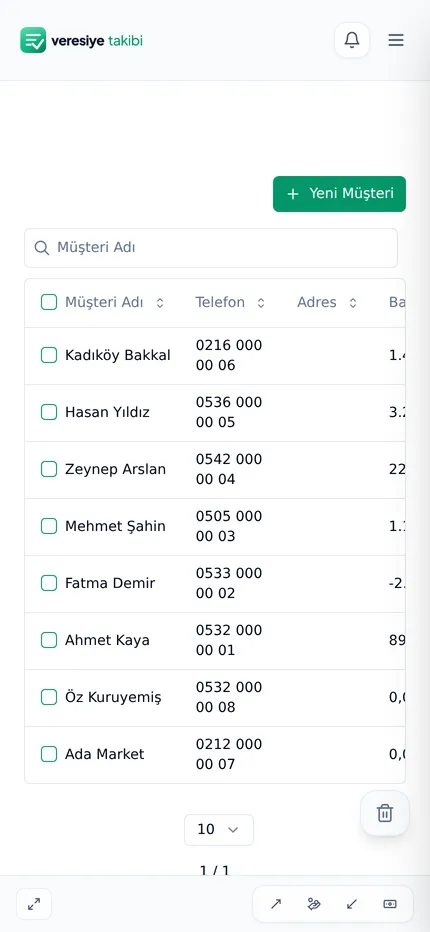
1. Add your customers. A name and a phone number are enough. Enter the customer's debt today once as an opening balance; you don't have to transfer the old ledger line by line.
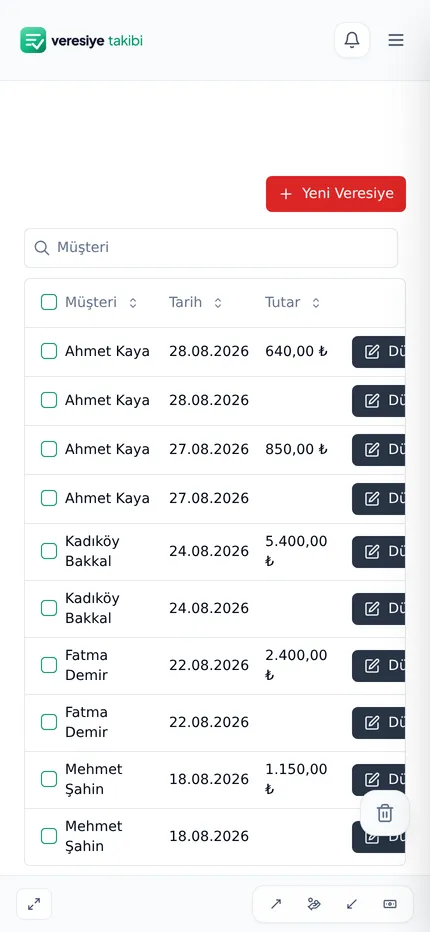
2. Record credit with its due date. Customer, amount, what they bought and the promised payment date. The remaining balance shows up with the record.
3. Record the payment the day it arrives. Even if it's a partial payment, enter it as a collection and choose the payment type; the remaining debt drops automatically.
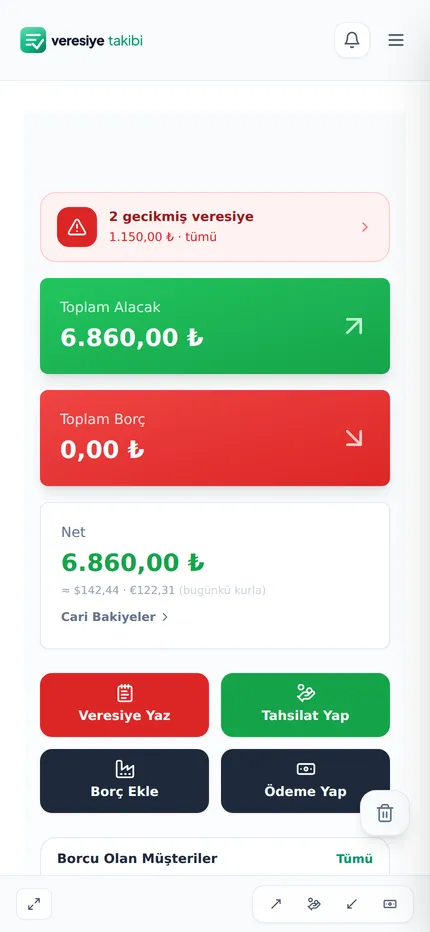
4. Check the due list every morning. Overdue accounts rise to the top in red, and the home screen shows how many credit accounts are overdue and the amount. From the customer's card you open their phone or WhatsApp with a single tap; what to say in the reminder is explained with sample messages in the how to collect on credit sales guide.
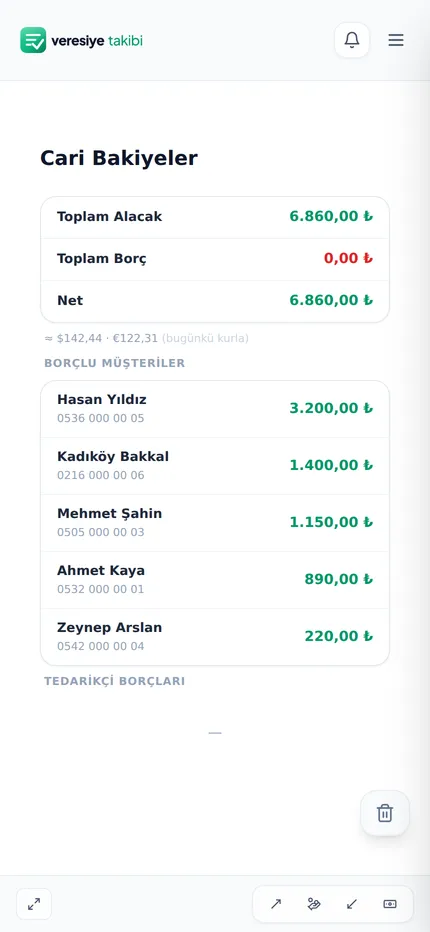
5. Read the report at month-end. The balance report shows the total money out on the street, your biggest debtors and the period's collections; the account balance report puts total receivable, total payable and net position side by side.
You can find which fields to enter in a record and how to set a limit for a customer in the how to keep a credit ledger guide, and the debit–credit and balance logic on the what is a customer account page.
Who is it for?
For any shopkeeper who sells to customers on account: grocers, markets, butchers, greengrocers, hardware stores, bakeries and wholesalers. The same arrangement for credit sales to businesses is called an open account; we explain the difference on the what is an open account page. Tracking personal spending, bank or credit card debt is not what this app is for.
Frequently asked questions
Is the debt tracking program free?
You can open a free account in Credit Tracker and start using it; no credit card is requested at sign-up. No installation is needed, it runs in the browser.
Can debts and receivables be tracked in the same app?
Yes. The credit you give to a customer is your receivable, while what you owe a supplier is a debt record. The account balance report shows total receivable, total payable and net position separately.
Can I use it on my phone?
Yes. You log in to the same account from your phone, tablet and computer through the browser; the records are the same on all devices.
Is Excel enough for debt tracking?
It can be enough for a few customers and a single computer. Excel calculates the total and the balance with formulas, but it doesn't bring overdue accounts to the front by itself, it is cumbersome to use from a phone and the file stays on one device. As the number of customers grows, an app saves you time.
How do I transfer old debts to the app?
When adding a customer, it's enough to enter their current debt once as an opening balance; you don't have to enter every past transaction one by one.
What happens if a customer doesn't acknowledge the debt?
The date, amount and note of every record are saved; from the customer's card you can open the statement showing all transactions in date order and go through it together. This statement is your own record; for a large amount you need a written acknowledgment of debt and legal support.
Is it suitable for my personal debts or credit card debt?
No, this app is designed for a shopkeeper's credit sales and customer accounts with their customers. Separate tools are more suitable for tracking bank, credit card or personal spending.
Debt tracking screens
Move your debt tracking to your phone tonight
Add your customers and enter their balances today once; overdue accounts and your total receivable are ready.