Credit ledger
Write down exactly who you gave credit to, when, and how much. With the notes field, the “what did I buy?” arguments are over.

Stop writing in a ledger. Record the credit, enter the collection; the remaining debt, the overdue accounts and the total money you have outstanding are calculated automatically.
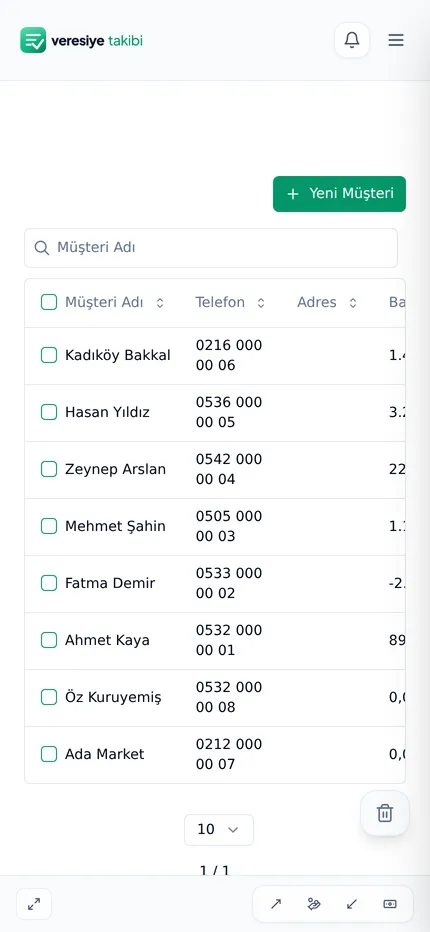
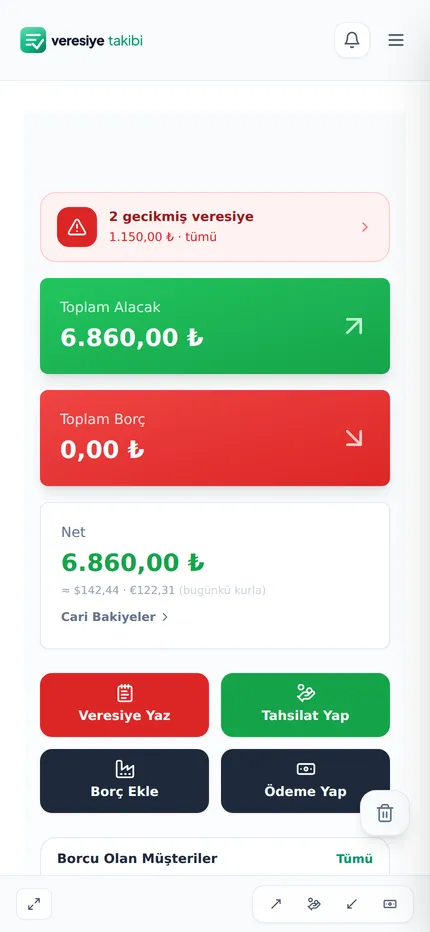
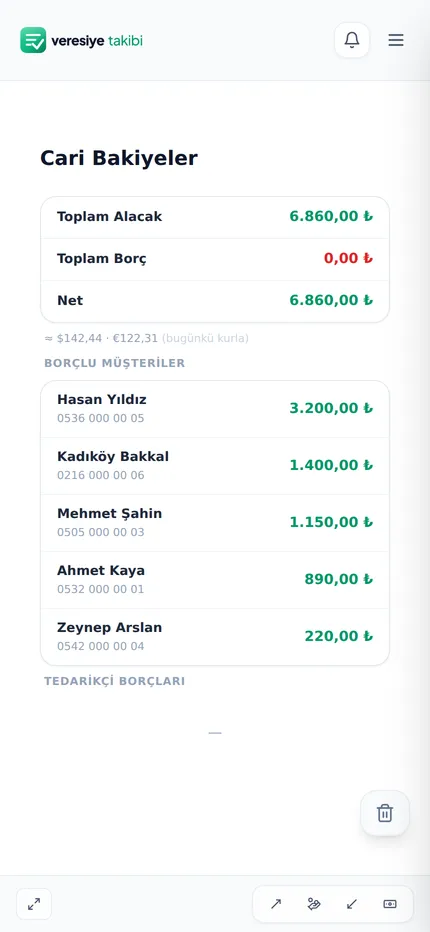
For every shopkeeper who keeps a ledger
No accounting knowledge required. The screens are written in everyday language: record credit, take a payment, add a debt.
Write down exactly who you gave credit to, when, and how much. With the notes field, the “what did I buy?” arguments are over.
Each customer's debt, payments and current balance on a single card. Their phone number is right there too.
Record partial payments as you receive them; the remaining debt drops automatically. Cash, bank transfer and card show up separately.
Enter the promised payment date; overdue accounts rise to the top in red.
The home screen always shows how many credit accounts are overdue and the amount.
The total money out on the street, your biggest debtors and collection figures by period are ready for you.
Even if your phone is lost, broken or replaced, your account stays safe. The biggest risk of a paper ledger is gone.
Find the customer in the list and open their phone or WhatsApp with a single tap.
All the screens are from the real app — swipe sideways to browse.
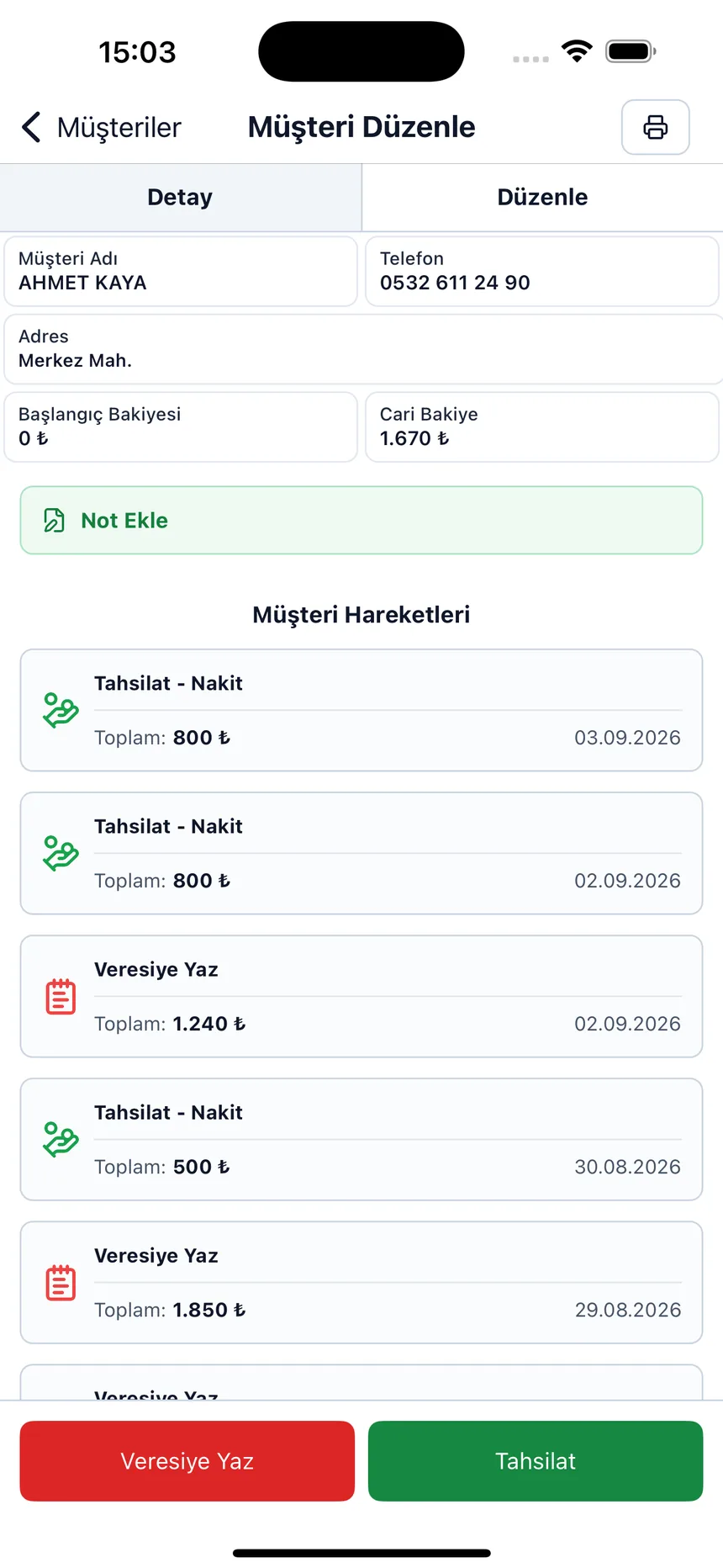
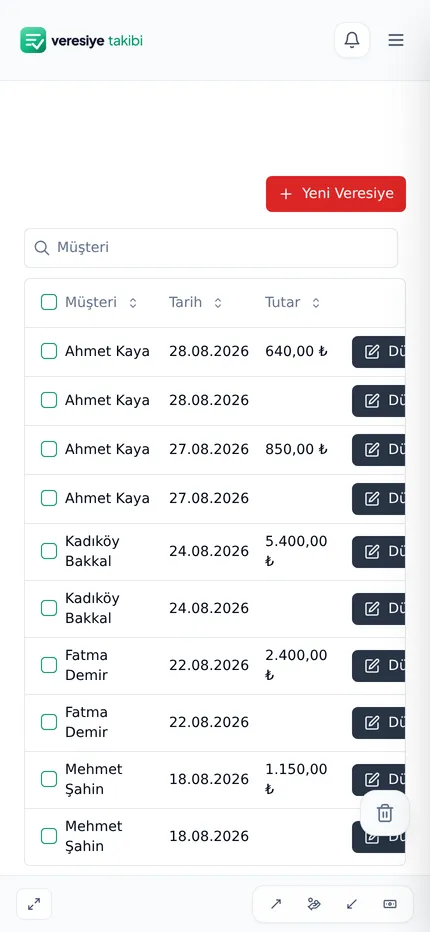
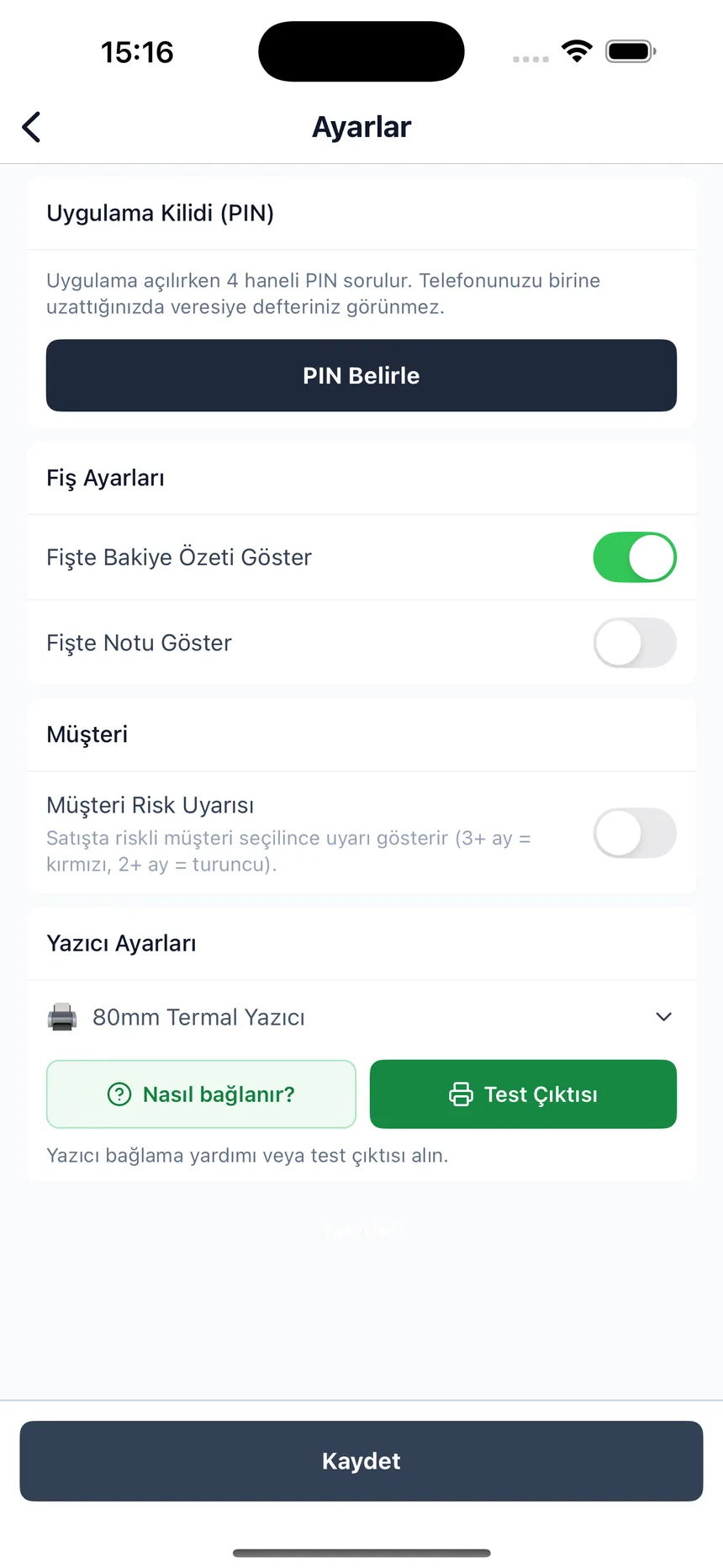
You can add your first customer and start recording credit in 2 minutes.
Free sign-up with email. No installation, no credit card.
A name and phone number are enough. Enter old debts once as an opening balance.
Record every transaction; the balance, due dates and reports are calculated automatically.
Writing down the credit is the easy part; the real question is getting the money back. We explained the collection flow, from agreeing on the due date to what to say when it is late, in seven steps in the how to collect credit sales (veresiye) guide.
You can do the same job in two ways; the difference shows up at month-end, when you try to remember who owes how much.
| Topic | Paper ledger | Credit Tracker |
|---|---|---|
| Total receivable | You add it up by hand | Visible instantly |
| Overdue accounts | You keep it in your head | At the top in red |
| If the ledger is lost | Your receivables are gone | Records are kept in the cloud |
| Customer statement | You search page by page | Ready on the customer card |
| Who paid what | Gets muddled | Cash, transfer, card separate |
| Checking from your phone | You carry the ledger with you | Same account from any device |
We put together the three-way comparison that also takes Excel into account and six features to look for in a program in the debt tracking app guide.
You can open a free account and start using it right away; no credit card is requested at sign-up.
A paper ledger can get lost, doesn't show totals and won't remind you about late payments. Here you see the total money you have out on the street at any moment and get all overdue accounts in a single list.
Yes. You log in to the same account from your phone, tablet and computer through the browser; there is nothing to install.
The date, amount and note of every record are saved. When needed, you can show the statement from the customer's card.
When adding a customer you can enter an opening balance; you don't have to enter every past transaction one by one.
Your records are kept in the cloud and are accessible only from your own account. When you change devices, you just need to log in.
You can log in to your account from your own devices; the records are the same on all devices.
What people who find this page are looking for: excel veresiye defteriveresiye takip
Open your free account, add your first customer — see the money you have outstanding tonight.